Theme editor

Scale Model Shop

Windows 10 help

  • Thread starter Thread starter Guest
  • Start date Start date
Status
Not open for further replies.
G

Guest

Guest
Thread owner
Hi all,
After reading a couple of comments in posts on them forum I'm hoping somebody will be able to solve my problem..
I've just backed up my files containing all my music ref photos etc and have done a complete reinstall.. Three days later.. I've gone to access my back up drive and it won't give me access to these files, can anyone help me out and point me in the right direction to gain access please.
In anticipation..
Regards
Brad
 
open file manager
change to drive f: and select the folder mentioned above.
right click on the folder
select ''give access to''
select specific people
find yourself or all users
give read write access from dropdown ( select name from list , click down arrow , set read/write )
 
Thread owner
hi Dom,
thanks for quick replies...it's coming up as your file can't be shared?
 
let me have a mess around with my machine in morning , and i'll see if i can work out why you cant alter.
What did you use to backup the files , did you just copy them to f: or use a backup program ?
 
Thread owner
Bear with me Dom , things could be happening, it was win 10 back up to a spare hard drive .I'll give update tomorrow also.. Cheers have a good one
 
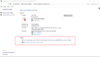
If windows 10 backup , relaunch it and do a restore , then files should be available.

Screenshot_3.png

May need to select the restore "select another back-up" and point at backup directory
 
Thread owner
Thread owner
Thanks all, no good , shortly afterward I got the blue screen of death.. reinstall again tonight if possible. Another three days of installing and updates etc.. Nightmare..
So I'll probably have to come back to this shortly.. Thanks to all in the meantime....
 
Thread owner
New install done...only 4.5 hours.. That's it now till tomorrow, sure the updates will kick in soon, then we'll see if can get my backup stuff back.
 
Thread owner
If windows 10 backup , relaunch it and do a restore , then files should be available.

View attachment 335174

May need to select the restore "select another back-up" and point at backup directory
Did you have any luck? The other thing is to make sure you are logged in with administrator privileges, see the bottom section of this
Change a local user account to an administrator account
https://support.microsoft.com/en-gb...-create-a-local-user-or-administrator-account
Hi Gary and Jimmy
Haven't forgot about your advice, will try the above at the weekend and let you know.
Cheers again.
 
Hi Brad I symphise with what happen on this windows 10 im finding it difficult as well it not a patch on vista
chris
 
Thread owner
You can quickly check if you're using a temporary profile using these steps:

  1. Open Settings.
  2. Click on Accounts.
  3. Click on Sync your settings.
  4. If you see a message at the top that reads: "You are logged on with a temporary profile. Roaming options are currently unavailable," then reboot your computer.
    Note: It may take a few reboots until you see your account on the sign-in screen.
  5. Sign in with your account.
Once you've completed the steps, the temporary account should go away, and you should now be able to access your documents, pictures, and videos from your original account.

Or try this.

Try taking ownership of the files and folders on the drive:
To take ownership of a file or folder

Open Windows Explorer, and then locate the file or folder you want to take ownership of.

Right-click the file or folder, click Properties, and then click the Security tab.

Click Advanced, and then click the Owner tab.

Click Edit, and then do one of the following:

To change the owner to a user or group that is not listed, click Other users and groups and, in Enter the object name to select (examples), type the name of the user or group, and then click OK.

To change the owner to a user or group that is listed, in the Change owner to box, click the new owner.

(Optional) To change the owner of all subcontainers and objects within the tree, select the Replace owner on subcontainers and objects check box.

Mike.
 
Status
Not open for further replies.
Back
Top