Theme editor

Scale Model Shop

INBOX ON WINDOWS 10

What email account are you using , gmail ? hotmail ? , and I'll work from there

oops , see its gmail ......
1621066467900.png
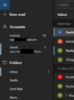
Click the three bars top left hand side of the mail window
It shows you your accounts
under that it shows you the account name and the number of UNREAD emails.
Gmail does not delete emails unless you tell it to , so should show all email in your inbox.
If that isnt what you see can you ddescribe what you are seeing on that screen
 
Thread owner
What email account are you using , gmail ? hotmail ? , and I'll work from there

oops , see its gmail ......


Click the three bars top left hand side of the mail window
It shows you your accounts
under that it shows you the account name and the number of UNREAD emails.
Gmail does not delete emails unless you tell it to , so should show all email in your inbox.
If that isnt what you see can you ddescribe what you are seeing on that screen
HI Gary well i hit the three bars at the top left an its came up as what ive had in emails allready but then i went to drafts where there are 37 drafts an yes you are right it brought up all the old emails right back to 2019 an right up too 6th of april this yr so thats good thank you for your help cheers
chris
 
HI Gary well i hit the three bars at the top left an its came up as what ive had in emails allready but then i went to drafts where there are 37 drafts an yes you are right it brought up all the old emails right back to 2019 an right up too 6th of april this yr so thats good thank you for your help cheers
chris
Glad it worked.
 
Thread owner
Glad it worked.
SO am i an so i know in the future Gary ive written it down
cheers for you help but youd think they would put bring up old emails rather then them three lines as it crazy ai'nt it as i tried them before as i hit every button but i did not go to the drafts section an thats where i went wrong
chris
 
The problem with the Mail application is that it was built for touchscreens/phones and on those the three bars is intuitive.
It isn't when using a full pc screen/mouse/keyboard.
I usually use my web browser to access google mail ( if not using the google mail app on my android phone )

1621072250503.png
 
Thread owner
The problem with the Mail application is that it was built for touchscreens/phones and on those the three bars is intuitive.
It isn't when using a full pc screen/mouse/keyboard.
I usually use my web browser to access google mail ( if not using the google mail app on my android phone )

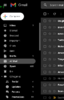
NOW Gary on your screen youve got drafts an an all mail well i havnt got the all mail bit so can you see what my problem was lack of knowhow as really im rubbish on a pc
chris
 
The ''ALL MAIL'' is in the webbrowser , at http://mail.google.com , it can be triggered in the app.


1621080166175.png


you need to click on folders , which brings up a list , then click on all mail
 
I can only assume you never made any folders in Gmail, so only have an inbox, drafts and an outbox/sent.
 
Back
Top