Theme editor

Scale Model Shop

Help Needed To Resize Pics ;;; Please Someone

Status
Not open for further replies.

monica

New member
Joined
Oct 30, 2013
Messages
15,169
Reaction score
0
Points
0
1/3
Thread owner

Attachments

  • 52e13ce17ed7893cf9d8ada0dcb26bc4.jpg
    52e13ce17ed7893cf9d8ada0dcb26bc4.jpg
    2.7 KB · Views: 0
  • 3777899287_3fa820ecd7.jpg
    3777899287_3fa820ecd7.jpg
    6.1 KB · Views: 0
  • 4350613816_eb5be0c2d6.jpg
    4350613816_eb5be0c2d6.jpg
    6.3 KB · Views: 0
  • almshouses_chapel_window8.jpg
    almshouses_chapel_window8.jpg
    5 KB · Views: 0
  • South-Perth-sml.jpg
    South-Perth-sml.jpg
    2.9 KB · Views: 0
Are you getting these printed at a print shop, or do you want to do it yourself? If you are getting them commercially printed, you can just take the files as big as you like.
 
I can easily do this if you want, but will need the full-fat originals and instructions on how you want them to fit on the 45mmx110mm print - as they are all different in shape!
 
Thread owner
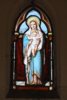
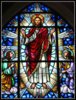
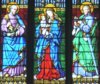
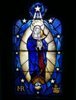
that would be cool if you can just resize to 45mm x 110mm,its to fit a church window


as most pics I,copy to usb and take to office works to print, ;)
 
Thread owner
ta John so much appreciated,as I,m just so naff with PC programs,just don't get right with them lol, ;)
 
Hi Monica, If you just need paper colour prints, the simplistic way is to cut and paste them onto a Microsoft Word document, use the editing tools to get the right size, print of a tester in black and white, and when you have the size right do a colour print. I had the reverse problem for my Trawler, I found a couple of charts on the north east coast of Scotland and edited them smaller with this technique to fit into the wheelhouse, see below. Any problems and I can do it for you and email you the Word document. Derek


View attachment 122379


View attachment 235270
 
Moni. Not sure which Mircrosoft you are on. But you have an accessory which comes free with Microsoft.


At START left hand side bottom. Go into programmes- accessories. There you will find the programme paint.


There you can resize and also crop. It is very easy. ;)


Click on paste in. Locate your picture then follow re-size.


If you are going to print yourself then you just choose in your printer details the size of paper you want the print to be.


Even if your paper is A4 it will print on that A4 what ever size you specify. Or you can cut your paper to size and the


printer will obey. Really a printer is masculine and will do what ever a women requires it to do :eek:


Laurie
 
Moni. Not sure which Mircrosoft you are on. But you have an accessory which comes free with Microsoft.


At START left hand side bottom. Go into programmes- accessories. There you will find the programme paint.


There you can resize and also crop. It is very easy. ;)


Click on paste in. Locate your picture then follow re-size.


If you are going to print yourself then you just choose in your printer details the size of paper you want the print to be.


Even if your paper is A4 it will print on that A4 what ever size you specify. Or you can cut your paper to size and the


printer will obey. Really a printer is masculine and will do what ever a women requires it to do :eek:


Laurie
 
Thread owner
\ said:
Hi Monica, If you just need paper colour prints, the simplistic way is to cut and paste them onto a Microsoft Word document, use the editing tools to get the right size, print of a tester in black and white, and when you have the size right do a colour print. I had the reverse problem for my Trawler, I found a couple of charts on the north east coast of Scotland and edited them smaller with this technique to fit into the wheelhouse, see below. Any problems and I can do it for you and email you the Word document. Derek
View attachment 134268
ta for the help Derek,sounds like a plan ,but even that for me lol,is some job,I will have a play about as I,do real need to lean,


how to do things and even in paint with words and color backrounds,I just cannot get it right,and then don,t


know how to do layers,and save it so I,can have printed at office works,in jpg or what ever the common one is,:confused::rolleyes:


I,m just a goof with this type of stuff, :D
 
Thread owner
\ said:
Moni. Not sure which Mircrosoft you are on. But you have an accessory which comes free with Microsoft.
At START left hand side bottom. Go into programmes- accessories. There you will find the programme paint.


There you can resize and also crop. It is very easy. ;)


Click on paste in. Locate your picture then follow re-size.


If you are going to print yourself then you just choose in your printer details the size of paper you want the print to be.


Even if your paper is A4 it will print on that A4 what ever size you specify. Or you can cut your paper to size and the


printer will obey. Really a printer is masculine and will do what ever a women requires it to do :eek:


Laurie
ta Laurie,for you help I,do have win7,and I have tried to use paint and just cook it up lol,:eek::confused:


with the copy/paste or import pic,part,I just dont do it right,as said above to Derek,it just dose not work,


so I get huffy and walk away and never go back and try again,:confused:


as it would be so very handy if I,could do it myshelf as I,always need sights and so on,for my dio,s


I do have a printer but have never put ink in it,costs to much,so I copy what I,need to USB,and take it to offics works to get printed, ;)


I also would love to be able to make and print decals as ,it would be most useful indeed,
 
Matter of interest the stained/leaded windows are very nice. Where did they come from.


Until recently I used to produce wedding films. After setting up my 4 cameras in the church


I usually had time to study the windows. Some fantastic work in them. Painstaking hours.


They all tell lovely stories.


Laurie
 
Hi Monica, I have sent you a PM with an A4 attachment with all your photos included, a copy is also attached (I didn't realise you could post PDF's on this Forum before I sent the PM.) As the aspect rations are all different, you get the results below. Each cell is 4.5 x 11cm. The illustration below is a PDF to JPEG conversion, so treat it as for illustration purposes only.. As you can see you will need dramatic cropping for them all to fit the same size. Alternatively I could make them all the same height if you can live with the increased width.


It would be neat if you could get the final design printed on acetate film in a colour laser printer, then it would look more like stain glass.


I have done these A4 is this your paper size?


Look forward to your comments. I am away tomorrow for a week. Derek


View attachment 122415


View attachment 122414

View attachment 235305

View attachment 235306
 
Just to comment Derek. Very nice of you to give your help and time.


Laurie
 
Thread owner
\ said:
Matter of interest the stained/leaded windows are very nice. Where did they come from.
Until recently I used to produce wedding films. After setting up my 4 cameras in the church


I usually had time to study the windows. Some fantastic work in them. Painstaking hours.


They all tell lovely stories.


Laurie
I,fond them on google ,I use it alot for pic,s of things I,m working on or do have an interest in,


I do like the art work of stained glass,as yoou said, Painstaking hours, ;)
 
Thread owner
\ said:
Hi Monica, Thought I would rework the images within the 45x11cm parameters to get the figures roughly the same size A4 PDF attached. Derek
View attachment 134351
Oh ,Wow,Derek,thank you so very much,


see that's how I need it,done,then I can just get them printed,


great job and much appreciated, :D


as I did get alot of PDF,s of Richi,or he would make things up for me time to time as well,


of signs and so on as I did need,


thank you once again, ;)
 
Thread owner
thank you so very much Derek,for all your time and help very much appeciated, :D


your a very good kind man, :)
 
Status
Not open for further replies.
Back
Top