Theme editor

Scale Model Shop

'puter issue. OOPS - UNSORTED

Gern

Active member
Joined
May 17, 2009
Messages
9,320
Reaction score
235
Points
63
1/3
Thread owner
I know this may not be the right place, but lots of you guys know stuff about 'puters and are able to talk proper English like what I does, instead of computerese gibberish! I want to turn off the dropdown suggestions I get when I go into Google Chrome. All the sites I have visited give a method involving turning off the autocomplete and URL search stuff in settings.

IT DON'T WORK!!

I typed in Microsoft authenticator and looked at the website but didn't find out what I want and closed my browser. I re-opened it and started to type Microsoft to get a contact number. It autocompleted my first search and took me to the appropriate list of sites. I had to go back to the search bar and delete the extra word that autocomplete had added! What a PITA!

Is there a way of turning them all off or alternatively is there another browser I can use which will allow me to turn them off?
 
Thread owner
Hi Gary. I looked at that site and found an address that's supposed to take you to another version of Google. Unfortunately, the address given does not take me to a browser page. I did find a comment on one of the pages I looked at which said you can't turn off the suggestions in Google.

I tried to phone Google but, according to their answering service, they're not dealing with telephone enquiries due to the Covid 19 situation. Their message board only gives the useless answer I mentioned above.

Do you know of any alternative browsers which allow you to turn off the suggestions?
 
chrome can if you are able to follow the instructions, but they assume you know a fair bit about computers.

EDGE ,
edge_1.png

firefox

FIREFOX_1.png


Opera

opera_1.png
 
Thread owner
Tried both Firefox and Opera Gary. Both use Google as the default search engine and still show suggestions. I'm not sure of the difference between a browser and a search engine. Do either of these have their own search engine?

Looking at the options in Edge, it appears that it will still show suggestions from my favourites and history?
 
I suppose the question may also be........ why?
If there is things you don’t want to see just hit the ‘x’ and delete and you could try ‘bing’ to search?
Sometimes the effect is easier to resolve than the cause when fixing ‘putar problems!
T
 
Thread owner
I suppose the question may also be........ why?
If there is things you don’t want to see just hit the ‘x’ and delete and you could try ‘bing’ to search?
Sometimes the effect is easier to resolve than the cause when fixing ‘putar problems!
T

Good question there Toby! Why can't I turn off search suggestions? You used to be able to do it, but Google in their infinite moronity (if that isn't a word it should be!) disabled that function.

Downloaded bing but my PC would not allow me to change my default search engine from Google.

As for deleting stuff, there's no way I'm scrolling down and deleting half a dozen items every time I press a letter in my search bar.

As for why I want to turn it off: If you were looking for a 1/35 Tamiya Tiger tank, how would you feel if your search came back and said "Why don't you try this 1/350 HMS Tiger instead? Or this 1/35 Meng Tiger? How about a 1/32 Tamiya F-14 instead? Why don't you sponsor a Tiger with the WWF and save them from extinction?"

I know I can just ignore them, but I find it so b****y annoying! If I'd wanted any of those, that's what I would have typed in my search.
 
firefox.

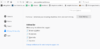
type following into search bar : about:preferences#privacy

1/2 way down that page are

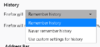
History -- you can choose

firefox-history.png

and

Address Bar

you can untick

firefox-address bar.png
 
Under ‘search engine’ in chrome settings you can choose the default search engine for the address bar.
you can also change the default search engine generally.
Then under ‘you and google’ then ‘sync and google services’ you should have a category called ‘other google services’ where you can turn off autocomplete searches and URL’s.

Hope this helps.
 
I'm not sure of the difference between a browser and a search engine.
A browser is the program you use to look at web sites with: Microsoft Edge is a web browser, so are Google Chrome, Firefox, Opera, Apple Safari and many others.

A search engine is an online service that lets you search the Internet for what you’re after. Google is a search engine, as is Microsoft Bing, DuckDuckGo, and then we’ve really already mentioned all the important ones.

Modern web browsers, though, automatically search the Internet for you. That is, if you type something into the address bar, they will ask a search engine to look for the thing you’ve typed in, and adjust that as you type more. When you press the Return key, the browser checks if it recognises what you typed as the address of a web site. If so, it will take you there directly; else, it will take you to the search engine and to show the search results instead. Which search engine it uses for this depends on the one you set as your preferred one in the browser’s settings; most have Google as the default one.
 
Ah first world problems.

Go to the cog page and look for the "stop second guessing me" settings and change it from "wife" mode to "mate" mode, but not the "smart mate down the pub who wasted his life" mode.......that's just wife mode with safe search turned off.
 
Thread owner
Under ‘search engine’ in chrome settings you can choose the default search engine for the address bar.
you can also change the default search engine generally.
Then under ‘you and google’ then ‘sync and google services’ you should have a category called ‘other google services’ where you can turn off autocomplete searches and URL’s.

Hope this helps.

Hi Chris. That's the function that Google disabled sometime earlier this year, so it doesn't work.
 
Thread owner
Ah first world problems.

Go to the cog page and look for the "stop second guessing me" settings and change it from "wife" mode to "mate" mode, but not the "smart mate down the pub who wasted his life" mode.......that's just wife mode with safe search turned off.

Way things are looking Karl, that may very well be my best option! I will try the other solutions first though ...
 
Thread owner
A browser is the program you use to look at web sites with: Microsoft Edge is a web browser, so are Google Chrome, Firefox, Opera, Apple Safari and many others.

A search engine is an online service that lets you search the Internet for what you’re after. Google is a search engine, as is Microsoft Bing, DuckDuckGo, and then we’ve really already mentioned all the important ones.

Modern web browsers, though, automatically search the Internet for you. That is, if you type something into the address bar, they will ask a search engine to look for the thing you’ve typed in, and adjust that as you type more. When you press the Return key, the browser checks if it recognises what you typed as the address of a web site. If so, it will take you there directly; else, it will take you to the search engine and to show the search results instead. Which search engine it uses for this depends on the one you set as your preferred one in the browser’s settings; most have Google as the default one.

Thanks Jakko. I'm a little wiser now about how they work, even if I'm not closer to the solution.
 
Hi Chris. That's the function that Google disabled sometime earlier this year, so it doesn't work.
I went through these as I wrote them...
I am on an enterprise suite account though. Perhaps that’s why it’s different.
 
Thread owner
I went through these as I wrote them...
I am on an enterprise suite account though. Perhaps that’s why it’s different.

Could be Chris. I've only got the most basic set-up so I guess there could be loads of functions I don't have access to.
 
Thread owner
firefox.

type following into search bar : about:preferences#privacy

1/2 way down that page are

History -- you can choose


and

Address Bar

you can untick


Gary you're a STAR!!! Downloaded Firefox, set up Bing as my search engine and sorted the options you highlighted. No more search suggestions!!!!

Still playing around with the page set-up and appearance. I'm adding bookmarks. Is there any way to show the bookmarks toolbar at the top of the page instead of the sidebar? Leaving the sidebar showing means my pages don't open in full screen the way I prefer.
 
Thread owner
Gary you're a STAR!!! Downloaded Firefox, set up Bing as my search engine and sorted the options you highlighted. No more search suggestions!!!!

Still playing around with the page set-up and appearance. I'm adding bookmarks. Is there any way to show the bookmarks toolbar at the top of the page instead of the sidebar? Leaving the sidebar showing means my pages don't open in full screen the way I prefer.

Gary: Don't worry about my last post. I've sorted it. But HUGE thanks once again for your help.
 
Back
Top