Theme editor

Scale Model Shop

Are enamels better than acrylics for yellow propeller tips etc?

  • Thread starter Thread starter Guest
  • Start date Start date
Status
Not open for further replies.
G

Guest

Guest
Thread owner
I struggle to (brush) paint the small, fiddly bits in yellow or red acrylic. They take numerous coats before the colour is solid enough. I was wondering if enamels would give better coverage. It's really just for prop tips and the leading edges of wings etc. Maybe also red bits too.
 
I to have problems with yellow and I don't think it maters which you use ive found both have the same problem


You just have to layer them until the part is completely covered I'm afraid
 
Paint them white first. I don't think that one type of paint better than the other...
 
Thread owner
Ian, do you mean a coat of white paint, followed by yellow? I hadn't considered that. I have some white primer in a spray can, which I would use for larger areas, but it would be a waste on 1/72 propeller tips.
 
I normally prime the whole prop, white or grey, then give the tips a good white coat. Paint or primer it doesn't really matter. Primer might cover better....then I paint the yellow. Once that has cured I mask the tips off and paint the main colour of the prop. Remove the masking before the paint is dry, and you will loose the edge made by the tape... :)
 
Same as Ian, except I prime the whole blade(s) white and so don't paint white before the yellow tips. You don't paint the yellow exactly to the tips as once masked the black (usually) of the blade will easily cover yellow.


Yellow, as you've discovered, doesn't easily cover black !


Cheers


Steve
 
Also remember that the yellow tip was only FOUR inches (10.16 cm), measured from the tip of the blade, down the centre line of the blade.


I see a lot of models with far too much yellow at the tips.


1/32 the tip is only 3.175 mm (call it 3.2mm)


1/48 the tip is 2.116 (call it 2.2mm)


1/72 the tip is 1.411mm (call it 1.4)


Cheers


Steve
 
Thread owner
Here is a tip I got somewhere: put some yellow paint (I used yellow Vallejo Model Colour, an acrylic) in a small container, to a very shallow depth, and dip the end of something black into it, end first. If the length of yellow on the "part" is too small, add more paint. When the correct depth is reached, put the propeller blade into it, end first, and you will get consistent results.
 
Thread owner
\ said:
Also remember that the yellow tip was only FOUR inches (10.16 cm), measured from the tip of the blade, down the centre line of the blade.
I see a lot of models with far too much yellow at the tips.


1/32 the tip is only 3.175 mm (call it 3.2mm)


1/48 the tip is 2.116 (call it 2.2mm)


1/72 the tip is 1.411mm (call it 1.4)


Cheers


Steve
Steve, is this formula for tip length/depth also to scale for helicopter rotor blades? I'm in the middle of a 1:72 Apache, so would it apply to the main and tail blades?


Thanks


Steve(!)
 
All great advice above. I would add, I've noticed sometimes my yellow tips are too yellow. I prefer a slightly faded look.
 
Thread owner
\ said:
All great advice above. I would add, I've noticed sometimes my yellow tips are too yellow. I prefer a slightly faded look.
This is where filters are useful. They tone down colours and blend them to reduce too bright an effect or too stark a contrast. If you apply a suitable filter to the entire prop after it has been painted and transfers applied etc. then you will find it looks more realistic.
 
Thread owner
Enamel or acrylic, yellow is a very tricky colour. It's mainly down to the fact that yellow pigments are, by their nature, very transparent, hence the need to undercoat in White or light grey. But its also that toning it down is incredibly difficult, as a tiny amount of any other pigment turns it into ochre or worse in an instant! When an artist, I had a pot of brushes purely for yellow (I kid you not, however well you clean a brush, traces of previous colours will remain, not a problem, on the whole, but with yellow it's a no-no). Richard speaks the truth, best to tone it back with a fine filter, or experiment with grey undercoats!
 
Thread owner
\ said:
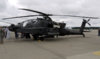
The Apache in general does not feature coloured tips on the main rotors Steve, and you will need to research the scheme for the tail rotors depending on which air arm you are depicting.
View attachment 111234
Thanks Joe, I believe the British Army Air Corp WAH Mk1 does have yellow tips, or at least has done in photos I've seen of them in repair. I'll do some more research, but thank you for the heads up.


Steve
 
\ said:
This is where filters are useful. They tone down colours and blend them to reduce too bright an effect or too stark a contrast. If you apply a suitable filter to the entire prop after it has been painted and transfers applied etc. then you will find it looks more realistic.
Not something I've used Richard, but does sound interesting. Any suggestions ?
 
Thread owner
\ said:
Not something I've used Richard, but does sound interesting. Any suggestions ?
You will find it interesting if you have a play around with scrap. I would get some sprue and paint sections matt black, toned down with a spot of light grey then paint some matt yellow up next to it. You also might want to try toning down the yellow with a bit of light grey mixed in then apply it to the sprue. Then you can either use ready made filters or you can simply make up your own. Most examples tend to be the application of spots of paint which is then dragged over the surface with a brush loaded with solvent. I have always found the spot process a bit hit and miss and end up with either the spots still showing or completely washed away. I therefore tend to cheat and mix up what is basically a slightly heavier wash and apply it all in one wet process. Again for a propeller I would use a light grey with perhaps a spot of light brown in it. If you paint this over your black and yellow sprue you will see how it seems to blend into a more realistic effect and the harsh contrast between the black and yellow will mellow. A few light chipping effects along the leading edges over both colours and the propeller will suddenly seem a lot more realistic. I can highly recommend the Mig Jiminez Weathering DVDs that John sells in the Scale Models Shop that explains washes and filters perfectly and is worth having to hand while you play.
 
Thread owner
I would use enamels for brush painting and weathering, but I use alcohol based acrylics (Tamiya and Gunze Sangyo) for airbrushing. Acrylic paints work fine with my Iwata Eclipse..


John
 
Thread owner
\ said:
The Apache in general does not feature coloured tips on the main rotors Steve, and you will need to research the scheme for the tail rotors depending on which air arm you are depicting.
View attachment 111234
I have finished researching, and it would appear you are correct Joe, thank you for the helpful tip! As I'm painting it British Army AAC there in fact no rotor markings at all!


I appreciate the help. Hope I can ask you further questions on colour and markings in the future!


Steve
 
Status
Not open for further replies.
Back
Top