

You are using an out of date browser. It may not display this or other websites correctly.
You should upgrade or use an alternative browser.
You should upgrade or use an alternative browser.
Revell 1/32 Mitsubishi J2M Raiden
- Thread starter yak face
- Start date


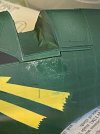
Got the markings started today . I decided to make the lightning flash masks from tape instead of using the cut out decal template . The paper just wouldnt have been flexible enough , the numbers on the tail were fine though - a flat surface - so the cut out decal was used for those.
I gave both the numbers and the lightning flashes a couple of light coats of white . The flashes will be getting a yellow over this , the numbers staying white . Hopefully I’ll only have a bit of touching up to do once the masks come off .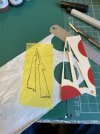
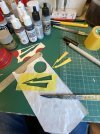
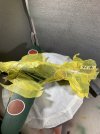
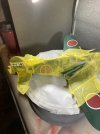
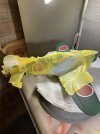
I gave both the numbers and the lightning flashes a couple of light coats of white . The flashes will be getting a yellow over this , the numbers staying white . Hopefully I’ll only have a bit of touching up to do once the masks come off .


- Joined
- Apr 27, 2018
- Messages
- 15,203
1/3
That's looking rather splendid mate.

1/3
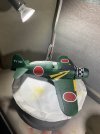
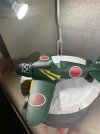
Blimmin' lovely Tony!Yellow on , masks off and a bit of neatening up to do ( quite a lot actually but im pleased with the result )

That looks so smooth,the meatballs and markings are so much better than using decals,and the engine detail certainly adds to the overall look too,as will that superb cockpit once it's unmasked :thumb2:,
A cracking addition to the G.B. mate.:hugging-face:
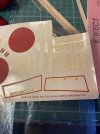
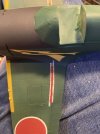
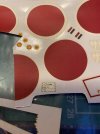
Ive now done the touch ups to the numbers and lightning flashes. The decal sheet has ‘no walk’ lines for the rear of the wings above the flaps , like the rest of the decals they have seriously yellowed carrier film and are probably very fragile . So it was a simple job of masking and painting the red lines and hand painting the japanese characters ( i presume it says no walk or no step in japanese) . The one decal that im going to have to use is the information panel that goes on the rear of the fuselage , but it should be fine if I cut the carrier film off . 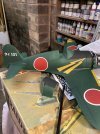
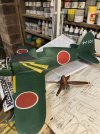
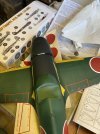
Bit of a cock up this morning . While I had the model on my knee , thinking about starting the chipping , I reached for the chipping brush and knocked the model onto the floor! The engine assembly broke off but then as I put my foot to the floor to get up , trod on it and broke even more bits off! Ive now glued it all back together but I’m going to glue the engine cover shut , the frame was too wonky looking , plus the engine wasnt all that good anyway . So onwards with the chipping , and try not to drop it this time ! 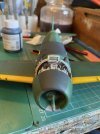
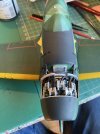
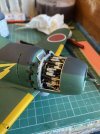
Edit.. just noticed when I uploaded the pictures - the prop spindle has got a bit bent too , have to sort that as well.
Edit.. just noticed when I uploaded the pictures - the prop spindle has got a bit bent too , have to sort that as well.

Sorry to hear about the mishap, you clumsy git, but it happens to us all once in a while. It also looks like the propeller shaft looks a little bent.
But still looking very good Tony.
But still looking very good Tony.


1/3
Wait! An IJN 'plane without half the paint work weathered off? Is that in the rules?
Looks VERY nice!
Looks VERY nice!
- Joined
- Apr 27, 2018
- Messages
- 15,203
1/3
At least it could be salvaged. It would have been a shame after all that great work.
The engine cover has now been stuck firmly in position and it has now had a dose of chipping . I used an old small flat brush which has been cut off to within a couple of mm of the ferrule. This is used to wet the surface and after a few seconds the paint softens enough to gently rub off with the brush , care needs to be taken as it cones off easily due to the coat of hairspray it had before the top colour. I tried to keep it minimal and to areas that I thought would get the most wear ( cockpit sides and wingroots where the pilots would be climbing in , gun access panels and leading edges of flying surfaces )
Here it is now having had a misting of Klear to seal the paint , ready for a light wash to emphasise the lovely detail .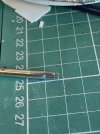
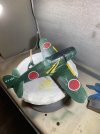
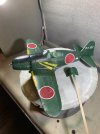
Here it is now having had a misting of Klear to seal the paint , ready for a light wash to emphasise the lovely detail .
1/3
Oh, you went and weathered it!
Still dam' good tho'!
Still dam' good tho'!

Legal Notice
scalemodelling.co.uk is a privately operated online discussion forum. All content posted by members reflects their own views and opinions and does not necessarily represent those of the forum owners or administrators. While reasonable efforts are made to moderate content, no responsibility is accepted for user-generated material. By using this site, you agree to comply with UK law and the forum rules.