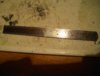
I use a steel rule as a straight edge when cutting Plasticard. As it is steel it is quite slippery and I found it hard to stop it sliding away from the line I wanted to cut.
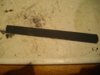
I vaguely remembered someone suggesting sticking small pieces of emery cloth into the jaws of tweezers to stop bits 'pinging' out so I did the same to the back of my rule. No more slipping.
Gern
PS Apologies, but another picture has crept it's way in. Could someone please tell me how I can delete pics I don't want to include in a post?
View attachment 66399
View attachment 66400
View attachment 66401
View attachment 179425
View attachment 179426
View attachment 179427
I vaguely remembered someone suggesting sticking small pieces of emery cloth into the jaws of tweezers to stop bits 'pinging' out so I did the same to the back of my rule. No more slipping.
Gern
PS Apologies, but another picture has crept it's way in. Could someone please tell me how I can delete pics I don't want to include in a post?
View attachment 66399
View attachment 66400
View attachment 66401
View attachment 179425
View attachment 179426
View attachment 179427