

You are using an out of date browser. It may not display this or other websites correctly.
You should upgrade or use an alternative browser.
You should upgrade or use an alternative browser.
Can't post pics.
- Thread starter grumpa
- Start date
Bigfoot57
Active member
- Joined
- Jun 24, 2015
- Messages
- 1,236
- Location
- Weston Super Mare
- First Name
- Colin
- Location
- Originally a small village outside of Reading Berkshire called Burghfield Common
1/3
Just tried to post some pics but can't...says "file too large" ?
Could this have to do with server switch over or something?
I had the same problem with my iPhone now I won’t say this will work in your case but the principle should be the same
Email the pictures to yourself it should give you the option to reduce the file size you then copy those emailed pictures because that what they’ve become they are no longer photos in the photo sense but pictures which is why they are smaller to your storage or wherever you keep your pictures you should then be able to post these onto the forum as Fred Dwyer in the tv Series Hunter always said “It works for me”
Regards
Colin
G
Guest
Guest
This is not necessary on any iPhone or iPad. In the pop-up window where you can choose which pictures to upload, there’s a button that lets you choose the dimensions. This guide here is for iOS 13, but it’s much the same in the current iOS 15 and iPadOS 15:Email the pictures to yourself it should give you the option to reduce the file size you then copy those emailed pictures
https://www.macrumors.com/how-to/choose-image-size-when-uploading-photo-safari-ios/

- Joined
- Mar 4, 2004
- Messages
- 4,822
1/3
I’ve installed imagemagik and it’s now setup as before, there is still the 2048k (2mb) file size limit, which is large enough, if you have a IOS device the workaround Jakko mentioned is a good option.

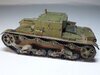
I'm sure this will all come out in the wash ,this was the pic that wouldn't load earlier ,still wouldn't load so in tru troglodyte fashion I pressed this and poked that changed it to 4.something? Forgotten already from i think 16.9? Anyway works now pic looks ok. I use a Samsung galaxy phone to take the pics Bluetooth to Samsung tablet and just drop them in from the album I think just need to take pics at lower thing , Dave


- Joined
- Apr 27, 2018
- Messages
- 15,239
1/3
I don't use a an I phone or any other type of phone I am using the same camera I always use and I am not smart enough to know how to change picture sizes all I know is I can't post pictures like I used to. Some help or guidance please.

I'm exactly the same Scottie so I'm just not going to bother posting photos anymore. There are plenty of forums and media sites which allow you to upload photos, videos, gif gafs etc with no problems at all and all for free 
 :thumb2:
:thumb2:


This afternoon I posted an update on my HMS Victory build. Ten photos without any problems. Strange how it's ok for some but not for others. The photos were taken on my camera, put onto the computer and then onto my thread.
Jim
Jim

Agree very odd.....I normally use Flickr too but that test shot was uploaded directly from my phone....Test picture.
All my pics on here are from Flickr but this is direct from my computer and seems to work OK.
Andy.


- Joined
- Mar 4, 2004
- Messages
- 4,822
1/3
There isn't anything wrong with the picture uploading, I've set it to 2mb which is a massive size for pictures to be posted on the internet, I've said several times I will fix it once the shop is no longer on the server, but I'm not making any changes that could cause downtime, if people feel they have to go somewhere else then that's their choice.
I have just try some tests and have been able to upload everything under 2 meg as John said but the original of a photo taken on our digital SLR, 4+ meg would not upload and I got the appropriate message from the server




1/3
Windows users : https://github.com/microsoft/PowerToys/releases/tag/v0.49.1 part of which is a very simple photo resizer
Legal Notice
scalemodelling.co.uk is a privately operated online discussion forum. All content posted by members reflects their own views and opinions and does not necessarily represent those of the forum owners or administrators. While reasonable efforts are made to moderate content, no responsibility is accepted for user-generated material. By using this site, you agree to comply with UK law and the forum rules.
Currently on our website
Threads
38,359
Messages
718,010
Members
2,785
Latest member
VideoTextRemoverAI