Theme editor

Scale Model Shop

Get rid of brush strokes

Status
Not open for further replies.

John

Administrator
Staff member
Joined
Mar 4, 2004
Messages
4,739
Reaction score
294
Points
83
Age
57
Website
www.scalemodelshop.co.uk
Location
Halifax
How do you identify?
Apache Attack Helicopter
Pronouns
Whatever / Works
1/3
Thread owner
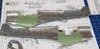
what am I doing wrong? I’ve tried all sorts of things to get a smooth finish, thinning paint, flat brush etc but still get lines.

View attachment 289137
 

Attachments

  • 20171021_132830.jpg
    20171021_132830.jpg
    2.1 KB · Views: 0
If Tamiya and a case of it drying too fast you can try adding a few drops of retarder but metallic paints must be one of the worst to brush paint since the metallic particles will "align" to the brush stroke and then look really streaky when it reflects light.
I don't even know if it is possible to brush paint that large surfaces with metallic paint and don't get streaks and lines?
I just use my airbrush and never have to worry about this phenomena but I hope you find a solution!

Would it work if you diluted the paint a lot and then applied it in several coats and you brush the paint on in different directions for each coat? That should take care of some of the problem perhaps?
 
Thread owner
I was going to use my Airbrush but wanted to try using a paint brush for bits that aren’t quite that obvious
 
Flow improver (windsor and newton) definitely helps but as Jens said even with this metallics can still show brush marks. The flow improver will make solid colours level out beautifully though. cheers tony
 
John, it looks to me as though the paint has dried too quickly - and possibly too thick to start with.

To pick up on Jen's mention of Tamiya paints, I found them virtually impossible to brush paint on a large area like the inside of your fuselage. In fairness, Tamiya are not supposed to be brushed on anyway.

Try thinning your paint a tad more. You can get a smooth metallic finish, but it does require 3 coats or more of very thin paint. Ratios I know naff all about. I just thin the paint until it spreads to my liking. Once applied, don't go over it again, let the paint find it's own level naturally.
 
Thread owner
To pick up on Jen's mention of Tamiya paints, I found them virtually impossible to brush paint on a large area like the inside of your fuselage. In fairness, they are not supposed to in the first place are they?

I would have just painted it cockpit green, but the instructions say silver, I’m not too fused about it because it’s not going to be seen, but I would like to get brush painting right for bits that are seen, the cockpit green didn’t go on too well, it welled up in the corners, I used my Airbrush with just air to spread it out a bit and put another coat on.
 
I've used extremely fine wet sandpaper before with interesting results. Normally for household applications you wouldn't go finer than 400 grit. I've got some 3000 grit paper which you use slightly damp. It's mainly used in garages to add a really polished sheen to paint work but you can use extremely fine grit paper on model kits too. It does require a lot of patience though because you will have to keep re-applying thin coats. Or use an airbrush ;)
 
Thread owner
Thanks, I will give that a try, I’ve got paper that goes up to 12000
 
Retarder and multiple thinner coats are the best way if you want to brush. You just have to get over that stage where it looks like you scraped it on with a toothbrush! Eventually, it magically becomes opaque and smooth!
 
Status
Not open for further replies.
Back
Top