Theme editor

Scale Model Shop

Pin stripes

A7man

Member
Joined
Dec 19, 2025
Messages
38
Reaction score
48
Points
18
First Name
Lee
Location
Cornwall
1/3
Thread owner
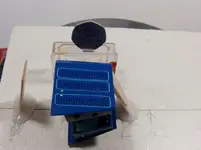
After seeing some pics of a fantastic cart posted by Radish in his welcome to a new member, I have decided to ask for help with something I'm doing. I have completed the four 1/10th scale models of my 1930 Austin Seven, (I still have the cases to make) and I am now building a smaller version, 25% small than 1/10th is I believe 1/12.5thhh. I used a Cricut Joy to produce the pinstripes for the bonnet of my 1/10th models. 8 per car times 4 cars is 32 pinstripes at .5mm wide. At 1/12.5th that .5 becomes to approx 1/3rd of a mm. I didn't think the Cricut could do it, but it did. I made 12 for a few spares. Getting the pinstripes onto the bonnet has been awkward. Here's a pic with a 50p for size.
IMAG0015_1.webp

The difficuty is the louvres, the sheet of clear transfer film that has the pinstripe on its sticky side, has to have a hole cut in it so it will go over the louvres and allow the pinstripe to sit on the surface of the bonnet. I only have another 3 pinstripes to do, which I will do later today. If anybody has a better solution I am very keen to hear it because I have already 3D printed some of the parts for an even smaller A7. 1/20th scale. 25% smaller than the one above. The pinstripes would be 1/4 of a mm wide. The Cricut might be able to do it, I'm not sure if I can! Viewed from a few feet away the wavy stripes are difficult to see, but get closer.....

Lee
 
After seeing some pics of a fantastic cart posted by Radish in his welcome to a new member, I have decided to ask for help with something I'm doing. I have completed the four 1/10th scale models of my 1930 Austin Seven, (I still have the cases to make) and I am now building a smaller version, 25% small than 1/10th is I believe 1/12.5thhh. I used a Cricut Joy to produce the pinstripes for the bonnet of my 1/10th models. 8 per car times 4 cars is 32 pinstripes at .5mm wide. At 1/12.5th that .5 becomes to approx 1/3rd of a mm. I didn't think the Cricut could do it, but it did. I made 12 for a few spares. Getting the pinstripes onto the bonnet has been awkward. Here's a pic with a 50p for size.

View attachment 1278939

The difficuty is the louvres, the sheet of clear transfer film that has the pinstripe on its sticky side, has to have a hole cut in it so it will go over the louvres and allow the pinstripe to sit on the surface of the bonnet. I only have another 3 pinstripes to do, which I will do later today. If anybody has a better solution I am very keen to hear it because I have already 3D printed some of the parts for an even smaller A7. 1/20th scale. 25% smaller than the one above. The pinstripes would be 1/4 of a mm wide. The Cricut might be able to do it, I'm not sure if I can! Viewed from a few feet away the wavy stripes are difficult to see, but get closer.....

Lee
Hi Lee, the pinstriping on my models, is done with an old XP windows computer using CorelDraw to do the artwork, then I use an ALPS MD-5500 printer to print the artwork onto a clear decal sheet. Then just cut the bits of that decal sheet to whatever sizes/shapes I want, then apply the waterslide decals to the models.

Can NOT help you with a Cricut at all.

To do the louvers/flutes on the bonnet, the shape should be a strip running down the louvers/flute, just a bit narrower than the louvers/flute and with a rounded top and bottom on that stripe.
Hope that makes sence, as that is how any flutes were originally hand painted, they DID NOT have square top or bottom on the louvers/flutes at all.

Good luck with what you come up with though, it will make the bonnet "POP" when you do the lovers/flutes.
 
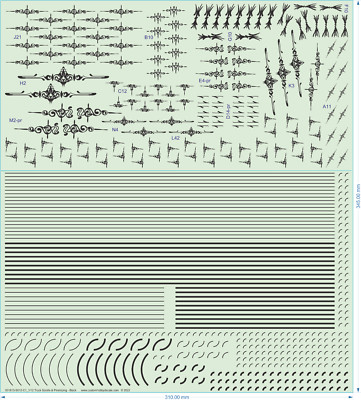
Oh, if you are after pinstriping as a waterslade decal, look on Ebay for waterslide decals, you can get sheets of decals with plenty of different thickness stripes, just look for Truck Decals.

DO NOT USE ACRYLIC/VINYL DECALS, as they are far to thick for anything other than a full sized 'billy cart'.

Click the link below and just keep scolling down, check out the range of colours and widths of the striping that are available.


Pin stripes are not something I've had to produce however I was interested in your use of the Cricut Joy. Your post was the second time recently that I've read about the Cricut Joy being used in the hobby. A few of your thoughts on the Joy would be appreciated. I wonder how useful it would be to produce spray masks for markings on models.
 
Thread owner
Radish, thanks for the info on decal sheets. I haven't used them for my own "artwork" yet, but have often felt like I should try.

Jim, I have a love/hate relationship with the Cricut Joy. I love the machine, I hate the software. The software is as awkward as h**l, and for me, refuses to work if my computer is offline, even though the software has a setting to use it offline. I now wish I had bought a Silhouette. A bit dearer, but the software looks better. I downloaded the Silhouette software to try out, even though I don't have a Sihouette machine. I will have a good think about what I plan to do in the future to see if it would make sense to buy one. Some machines will scan a printed page, e.g pre drawn spray masks, show the image on screen, allow a border to be drawn around the image a specified distance away from it, and then cut it out. I think you can specify right up to the image. The Joy won't do this.

Lee
 
I have seen some great detailing work done with cricut vinyls. They are VERY thin and the permanent stick like the proverbial to a blanket. Those I have seen have been in the lager scales but are ok. I have seen thicker decals. 😂
 
The pinstripes look great....Forgive my ignorance, but what is a cricut joy? presumably some sort of printer? or decal cutter? Cheers
 
Thread owner
Hi Peter,
The Joy is a very small cutter - drawing machine. I designed my 1/10th scale pinstripes on it, made that into a "block" of 12 and then asked the Joy to cut them out of a sheel of vinyl. The width of the stripes was half a mm. No way could I have painted them by hand or masked them for spraying. The Joy also cut out 12 pinstripes for my smaller model A7 with the width being one third of a mm. Very impressive! On the tail end of my A7 is a maple leaf (sort of) design. I cut out this on the Joy too. The cutter can be swapped for a range of coloured pens, exclusive to Cricut. I made an adapter that takes different pens that are cheaper than the Cricut range.
Lee
 
Lee, what material are you using for your masks?

I used Oramask 810 to make some stencils for a rifle stock, but found it left a lot of residue.
 
Thread owner
Mr Bowcat,
The items I cut out on the Joy were not masks, they were the finished item to be stuck on the car. The vinyl I bought is made for cutting machines like the Joy. It's a tough thin vinyl on a sheet of waxed paper. It comes on a roll, I bought bigger rolls of the vinyl and cut it down to fit the Joy. They are 12" wide by 48" long. To apply the vinyl to a surface you have to "pick" out all the areas you don't want to leave the bit you do want on the waxed backing. A sheet of clear transfer film is then stuck over the bit you want, and the waxed paper can be removed so your design can be stuck to a surface. When you have the design stuck down the transfer film can be carefully removed. The transfer film can be reused. I dont reuse mine. I suppose the transfer film could be used as a mask. I don't know if it would take being sprayed over.
Lee
 
Hi Lee,

I get that mate, I have a Cricut Air 2 so well used to cutting, weeding and transferring. I was just wondering what material you used. As I mentioned, I have used Oramask 810 but find it leaves a residue.

Cheers, B
 
Thread owner
B.
I am still new to the world of modeling and especially cutting machines. I don't know anything about masking material except masking tape. When I was wondering how I was going to produce 1/2mm wide pinstripes it was suggested at my local model club that I sould try decal sheet. I had heard of decal sheet but have never used it. Plus the limiting factor was that the pinstripes were less than 1/2mm away from the louvres they were going around. Even a man at a signwriting shop couldn't figure out a way to do it. I got round it by cutting out the middle part to create a hole in the sheet that would allow the louvres to poke through. It was fiddly but it worked. Sorry I can't help with the masking part.
Lee
 
Have you had a look at Ebay for truck pinstiping decal sheets?


Or even pinstiping for trains, as they go right down to stipes as thin as a 1/4 of a millimeter.

Looks like posting second lot of Ebay is called a ---- pardon our interuption -------------- so just click on those words for the train decal sheet.


Oh, all different colours are avilable in either the truck pinstriping or the train pinstriping as well.

Very easy to use as well ------------
 
Back
Top