Due to the sudden influx of about 100 (!) new members, I will try to clear up on posting pictures in your thread right from the top:
forget all the buttons at the top of the text box, the part you type the message in, it only confuses the matter.
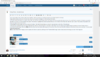
On the left, below the text box is a button 'Attach files' click that and a new window opens. Mine opens the with my photo directory on my pc. You might have to navigate to the place your photos are kept on your pc. So, in the directory that opens in the window, highlight the picture or pictures that you wish to have in the thread then click the 'open' option. The pictures will up load to the forum and appear below the text box.
In the image box that appears, you have a couple of options, I fear that it is here things go wrong for new members ( and a few of the old boys).
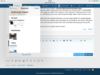
View attachment 299479
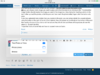
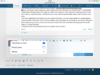
At the very top of the picture box you have a line that says 'Insert all' and two buttons; ' Thumbnail / Full image' If you just want to dump all the photos on the list click one of those options. I recommend the full image. What ever. Either click that button and the photos will be placed in the text box where the cursor (that little flashing bar that shows where you are typing) is. You only need to click this button once.
OR you can choose which image you want to place and where to place is by clicking on the 'Thumbnail/full image' button directly beside the image you want in the image box. (Very handy for inserting a photo in the text. I often up load the photos, write the post and then insert the photos after). Again click the button only once.
If you have uploaded more photos than you needed in the post, you can simply delete the unused pictures using the button at the right of the list. If not deleted, they will appear as thumbnails at the bottom of the post.
Also worthy of note is if you click on all the buttons they will all work and there will be pictures all over the place lol - So don't do that.
I hope that this is of some help and has not caused more confusion.
forget all the buttons at the top of the text box, the part you type the message in, it only confuses the matter.
On the left, below the text box is a button 'Attach files' click that and a new window opens. Mine opens the with my photo directory on my pc. You might have to navigate to the place your photos are kept on your pc. So, in the directory that opens in the window, highlight the picture or pictures that you wish to have in the thread then click the 'open' option. The pictures will up load to the forum and appear below the text box.
In the image box that appears, you have a couple of options, I fear that it is here things go wrong for new members ( and a few of the old boys).
View attachment 299479
At the very top of the picture box you have a line that says 'Insert all' and two buttons; ' Thumbnail / Full image' If you just want to dump all the photos on the list click one of those options. I recommend the full image. What ever. Either click that button and the photos will be placed in the text box where the cursor (that little flashing bar that shows where you are typing) is. You only need to click this button once.
OR you can choose which image you want to place and where to place is by clicking on the 'Thumbnail/full image' button directly beside the image you want in the image box. (Very handy for inserting a photo in the text. I often up load the photos, write the post and then insert the photos after). Again click the button only once.
If you have uploaded more photos than you needed in the post, you can simply delete the unused pictures using the button at the right of the list. If not deleted, they will appear as thumbnails at the bottom of the post.
Also worthy of note is if you click on all the buttons they will all work and there will be pictures all over the place lol - So don't do that.
I hope that this is of some help and has not caused more confusion.



 .
.