Theme editor

Scale Model Shop

New phone

  • Thread starter Thread starter Guest
  • Start date Start date
G

Guest

Guest
Thread owner
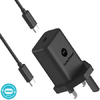
Having purchased a new mobile I was looking fwd to uploading some pictures to the pc for editing and then posting. I now find the the size of the USB is not compatible of the existing cable I use. The phone is the new USB C , now having to wait for a new style connector. Oh don't you love modern life !!!!
 
I just use the charging cable that came with my Samsung, perhaps yours is not the same type of cable?, USB C one end and standard USB on the other.

Andy.
 
Thread owner
I just use the charging cable that came with my Samsung, perhaps yours is not the same type of cable?, USB C one end and standard USB on the other.

Andy.
Unfortunately Andy the charger is one of many that Motorola produce and it has a entirely different connecter to the charger end. My old Moto used the earlier USB micro and the USB 2 connecter with out a problem
 
which phone is it ?

all the ones I can see come with a USB a to USB c cable , you can plug a end into PC and c into phone and it should work.
 
Hi John
Technology will always turn around and bite you. Both Nita and I bought new phones a couple of months ago. We are lucky in that we have a brilliant O2 shop. They are so helpful. Any problems/questions and we go into the shop and one of the young assistants will help. No rushing, no making us feel daft, just patient help.
Service seen rarely these days.
Jim
 
I usually just email the photos to myself...or put them on my one drive from the Mobil the down to the PC as needed.
 
I usually just email the photos to myself...or put them on my one drive from the Mobil the down to the PC as needed.
If phone is an android, I use google photos , which my phone backs up to automatically ( once set up )from my camera app on the phone.
Iphones can backup to iPhoto, but at least one person I follow on twitter has had major problems recently with iPhoto.
 
Thread owner
Ok thanks for that Gary.:thumb2:

Hi John
Technology will always turn around and bite you. Both Nita and I bought new phones a couple of months ago. We are lucky in that we have a brilliant O2 shop. They are so helpful. Any problems/questions and we go into the shop and one of the young assistants will help. No rushing, no making us feel daft, just patient help.
Service seen rarely these days.
Jim
That's good Jim, unfortunately, my local EE shop didn't have the phone so went to Argos ( other sellers are available ) Think I now have it sorted.


I usually just email the photos to myself...or put them on my one drive from the Mobil the down to the PC as needed.
Never thought of that method Ian .
 
Having purchased a new mobile I was looking fwd to uploading some pictures to the pc for editing and then posting. I now find the the size of the USB is not compatible of the existing cable I use. The phone is the new USB C , now having to wait for a new style connector. Oh don't you love modern life !!!!
You ain't seen nuthing yet JR,......wait till your new cable arrives and you go to upload your pics only to find out they are too large and you have to resize em first.........bigger is better, after all ;)
Rick H.
 
Thread owner
You ain't seen nuthing yet JR,......wait till your new cable arrives and you go to upload your pics only to find out they are too large and you have to resize em first.........bigger is better, after all ;)
Rick H.
[/Quote)
Yes quite expecting that Rick .Not sussed out the camera fully yet , the good thing I can still use the old one and connect that to the pc for editing. :smiling2:
 
Must admit that I normally crop the photos on the phone (main PC is running out of storage, and photos off the phone doesn't help!)
 
What I've been doing is taking the photo on the phone, but overframed. Then go to my gallery, choose the photo, edit and crop to what it should be. This reduces the file size sufficiently.

No good if you use the forum on your PC of course!
 
Hi John, I also share my images to my Gmail and then upload it into the folders. I edit on my laptop with photoshop for contrast and color.

Cheers,
Richard
 
Hi John
Regarding photo editing. I use a free program called paint.net. It is easy to use. The only functions I really use are resizing (useful as the site needs smaller photos. I resize to 700 across), cropping photos and lightening or darkening a picture. Paint.net will do a load of other stuff but I don't use it.
Jim
 
Thread owner
Must admit that I normally crop the photos on the phone (main PC is running out of storage, and photos off the phone doesn't help!)
Hi Gerry , I like to store the photos on the pc using a photo program called Fast stone that I down loaded.
Works perfectly for me , in that I can crop , resize and keep in the way I want .
Found out that my old phone will still connect to pc using its cable , so I can still up load photos .
The new cable will be here this week, so hopefully can use the much better camera and find the size that the forum can cope with .


What I've been doing is taking the photo on the phone, but overframed. Then go to my gallery, choose the photo, edit and crop to what it should be. This reduces the file size sufficiently.

No good if you use the forum on your PC of course!
Thanks Andy, that's a neat way . Like to use the pc as the screen size is more helpful when doing editing.

Hi John, I also share my images to my Gmail and then upload it into the folders. I edit on my laptop with photoshop for contrast and color.

Cheers,
Richard
Hi Richard thanks , interesting to see so many differing methods being used . It's taken me long enough to get used to the programme I've now got. When I used my Cannon camera I had their programs, suddenly they stopped releasing it so was forced to find another .

I've got a copy of Photoshop, but need to go on a course I think to understand it !

Hi John
Regarding photo editing. I use a free program called paint.net. It is easy to use. The only functions I really use are resizing (useful as the site needs smaller photos. I resize to 700 across), cropping photos and lightening or darkening a picture. Paint.net will do a load of other stuff but I don't use it.
Jim
Hello Jim, it sounds like the one I have, nice and basic, but with like yours plenty of other functions. I do like the rotate one. To think we just wanted to model, and end up trying to be photographers as well:smiling2:

Thanks everyone who joined in, always interesting to see the different ways we do things .
 
Hi John
If you just want to resize a picture use the “save as” option in photoshop to save a smaller copy of the original. Just open it in photoshop, then click “Save as“. You can then rename, resize or change the file type on the picture…..all from drop down menus, before you finally save the file.
 
Thread owner
Hi John
If you just want to resize a picture use the “save as” option in photoshop to save a smaller copy of the original. Just open it in photoshop, then click “Save as“. You can then rename, resize or change the file type on the picture…..all from drop down menus, before you finally save the file.
Sorry Tim just seen this. I will bare that in mind
As things seem to be better now it might be sometime before I do !
 
Back
Top