Theme editor

Scale Model Shop

Neil's 1-32 scale 3D printed Flamethrower

You mean the No. 19 set B aerial base, with the protective ring around it? I don’t even fancy making those from etched parts in 1:35, never mind half that size … The A aerial base is easy enough, though: just file the end of a piece of plastic rod into a cone, off the top of my head it’s about 2 mm diameter in 1:35, so 1 mm rod will do in 1:72.
Yes spot on Jakko.Asuka Fireflies have them in.But 72nd scale is a little devil.Its the ring on top with side supports that are a real pain in backside.
Rich
 
Thanks Gary
So does that mean that a larger 8k bed size would give lower resolution than a small one? Because there are still only 8k pixels spread across a larger area?
Yes ..... BUT , the big problem is that even 8k resin may not be able to solidify uniformly in a single pixel area for small strands.
I have done a lot of research into what I want for a printer and what you need to do to get the best results and the answer is still, you will need to do trial and error.

There are some lovely graphs people have created to work out the best angles to place objects at to get the best prints based on layer height and pixel size.

Heres one for the elegoo saturn, a 4k , but the math/premise works for ANY PRINTER , just adjust the pixel size and redo the math.

p.s. the 50 micron works for your Mars 2 since that is it's quoted xy resolution.


layer heights-angles-pixel-size.jpg
 
Beats scratchbuilding replicas especially Enfield MkVs in 1/35. With paint on I don't think you'll see mistakes as long as the lines are not visible, Neil.

Cheers,
Wabble
 
I don't understand why they have the extra material attached to them- perhaps the support was too flimsy and they wobbled about during the build. That said , I used the same orientation when I printed them before at 1-35 and they came out fine
Neil,
have you tried looking at the gcode? I found I could open them in Bambu Studio, and you can see what the slicer program has generated. I'm using PrusaSlicer for code generation................
My PC is now getting a bit of a problem, I can't run the latest Cura software & I tried to load Blender, and that wouldn't work either - something to do with graphics, it says. It is a bit long in the tooth, but we're all getting older & can't do things!
Dave
 
I don't understand why they have the extra material attached to them- perhaps the support was too flimsy and they wobbled about during the build. That said , I used the same orientation when I printed them before at 1-35 and they came out fine, which is why I did it this way this time. Hmmm
I can probably use them as long as they are fully loaded, but it's irritating to have it happen, and I need to know how to avoid it.

1. printing things 100% vertically is a problem, works for cylinders, but not for a lot of things.
2. the extra may well be the resin not getting enough time to move back under the build plate and stabilise before the next layer is ''cooked'',
3. try the angle trick from the above graph, it may work, and since the stuff will be at an angle, quicker to print, though it will need more support.

if you think about it , the centre of the fep sheet has to move further than the edges before it can release the layer attached to it, and so you need to have enough lift of the plate between layers to make sure they separate completely, and that, therefore, takes longer for the resin to flow below the plate before it goes back down.
the more material on the printing layer the more effort to remove and the bigger a ''bang'' when the sheet releases.
this causes the resin to have a wave motion.
there is a very fine line between faster and better

the calculations I have seen that the big names change are

1. distance plate rises after each layer ( retraction distance )
2. the amount of time the light delay is on for, to stop it from cooking the resin before everything is stable. ( light off delay )
3. the speed of retraction, too fast and the resin really makes waves.

I hope that makes sense
 
Neil,
have you tried looking at the gcode? I found I could open them in Bambu Studio, and you can see what the slicer program has generated. I'm using PrusaSlicer for code generation................
My PC is now getting a bit of a problem, I can't run the latest Cura software & I tried to load Blender, and that wouldn't work either - something to do with graphics, it says. It is a bit long in the tooth, but we're all getting older & can't do things!
Dave

The code for a resin printer is totally different to the gcode for a pla/filament printer.
The resin printers literally only move the build plate up and down and light on light off, as a complete layer is ''cooked'' at the same time. ( the ''printhead'' only moves in one dimension, Z
A filament printer or indeed a CNC machine has a lot more code to move the tool head in 2 dimensions ( or more with some of the new tool heads and the new slicing techniques that allow the head to travel in all three dimensions at once.)
 
Thread owner
1. printing things 100% vertically is a problem, works for cylinders, but not for a lot of things.
2. the extra may well be the resin not getting enough time to move back under the build plate and stabilise before the next layer is ''cooked'',
3. try the angle trick from the above graph, it may work, and since the stuff will be at an angle, quicker to print, though it will need more support.

if you think about it , the centre of the fep sheet has to move further than the edges before it can release the layer attached to it, and so you need to have enough lift of the plate between layers to make sure they separate completely, and that, therefore, takes longer for the resin to flow below the plate before it goes back down.
the more material on the printing layer the more effort to remove and the bigger a ''bang'' when the sheet releases.
this causes the resin to have a wave motion.
there is a very fine line between faster and better

the calculations I have seen that the big names change are

1. distance plate rises after each layer ( retraction distance )
2. the amount of time the light delay is on for, to stop it from cooking the resin before everything is stable. ( light off delay )
3. the speed of retraction, too fast and the resin really makes waves.

I hope that makes sense

that makes a lot of sense, thanks Gary.
It's why the Formlabs Form 3 is so much better with it's 'gradual peel' process. Just a shame it's 20 times the price of mine!
I shall tinker further....
 
Thread owner
Neil,
have you tried looking at the gcode? I found I could open them in Bambu Studio, and you can see what the slicer program has generated. I'm using PrusaSlicer for code generation................
My PC is now getting a bit of a problem, I can't run the latest Cura software & I tried to load Blender, and that wouldn't work either - something to do with graphics, it says. It is a bit long in the tooth, but we're all getting older & can't do things!
Dave
Cheers Dave, but as Gary points out I think it's a process issue rather than a software one.
As for your geriatric PC, we all have trouble with images as we get older....
 
Thread owner
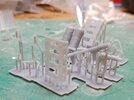
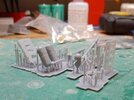
Second attempt crashed & burned yesterday, except for the tanks, which is just as well because they got worse on the third attempt, even though everything else was improved-even the vertically oriented packboard, which WAS a surprise.

third attempt.jpg

third attempt b.jpg
So I do have a usable full set, and a reserve of slightly lesser quality if I cock it up.
 
Certainly looks good although I appreciate there are issues. It definitely shows the potential. I suppose the process is still in it's infancy for the hobbist at home. Are the printers which commercial 3D printers use vastly different and more expensive that those used for home printing?
 
Neil,
are those tanks solid? I've read of needing holes to drain resin from parts - or is there a size when this is needed?
Dave
 
Neil,
Nice work mate. This is all to complicated for me but I like the results you achieve and the problem solving involved.
 
Neil,
are those tanks solid? I've read of needing holes to drain resin from parts - or is there a size when this is needed?
Dave
Resin: Anything hollow needs drain points ( unless it is a tube so open both ends, whereas anything solid shouldn't as there should not be any uncured resin inside.
 
Second attempt crashed & burned yesterday, except for the tanks, which is just as well because they got worse on the third attempt, even though everything else was improved-even the vertically oriented packboard, which WAS a surprise.

So I do have a usable full set, and a reserve of slightly lesser quality if I cock it up.
Neil , granny and suck eggs question, what temp is the resin at in the tank, as cold resin = higher chance of failure ?
 
Back
Top