Theme editor

Scale Model Shop

Wonky photos.

Think you need to enlist the help of @John Race to work his 'magic' on the phone. Then obviously get a new phone :smiling3:
[/QUOTE)

Alan I thought I had cracked it, resizing all photos, but when I upload with out it still does portrait on the side .
 
Thread owner
Try this.
open the camera app on your phone. Open settings. open formats and advanced settings.
Is there an option called HEIF-pictures? If yes and it is activated. Turn it off and try again.
(apparently that is not the problem I have mine disabled).
There are some apps and websites that do not support HEIF format...

Also when you take a photo for the tests, please take one where the image is easy to see which way up it should be. something like these.
20220120_085300.jpg20220120_085308.jpg

LOL mine does it too!
I have had a look in all the settings on the forum's set up and there is nothing that can be altered to stop this from happening.
Until a solution is found I guess the easy thing to do is only take photos in the Landscape direction.
@John. Have you had any more thoughts about fixing this. Did you look at that Add-on link I sent you in a PM.
 
Ian, Bob posted a photo from another phone and had the same issues. It is pretty unlikely, though not impossible, that both phones are set to HEIF inadvertently. Are there any account specific settings that could have been altered accidentally?
 
Ok. So I was potentially right about HEIF..... Interestingly my phone doesn't support it, which explains why I never have the problem.... But then I don't have a particularly advanced phone....
 
Thread owner
Ian, Bob posted a photo from another phone and had the same issues. It is pretty unlikely, though not impossible, that both phones are set to HEIF inadvertently. Are there any account specific settings that could have been altered accidentally?
Ok. So I was potentially right about HEIF..... Interestingly my phone doesn't support it, which explains why I never have the problem.... But then I don't have a particularly advanced phone....

Well as the photo I posted above proved, it is not the HEIF as that is disabled on mine. It is though also a Samsung a Galaxy A42
 
Thread owner
Well it seems to be a problem without a solution until John sorts the software out.
In the while I can only suggest that those having this problem only take photos in landscape.
If you experience that the photos get flipped upside down, I can only suggest taking the picture with the camera upside down, thus the resulting posted picture will be the right way up.
This is all I have left to offer until @John sorts out either a different auto sizer or installs a picture turning add on.
 
Well it seems to be a problem without a solution until John sorts the software out.
In the while I can only suggest that those having this problem only take photos in landscape.
If you experience that the photos get flipped upside down, I can only suggest taking the picture with the camera upside down, thus the resulting posted picture will be the right way up.
This is all I have left to offer until @John sorts out either a different auto sizer or installs a picture turning add on.
It‘s not like you didn’t try Ian, so don’t beat yourself up over it :thumb2:
 
Thank you Ian for trying your very best and Tim and the other chaps for your help

Had a look on Youtube, found vids on this with samsung but nothing similar to my phone??
 
The camera has a oriantation ( spelt wrong lol) button, so tried 90 degress right, 90 degress left, 180 degress, No!

However theres a box, when pressed says 1:1, hy presto
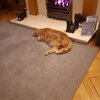
20220130_205501.jpg
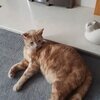
20220130_205501.jpg20220130_210006.jpg

Bit big, but thank you casper my big ginger moggie for posing
 
Ian, is it ok for you or do i need to look at the size, 4:3 etc, no expert sorry

Its set to 4:3 8mp??
 
Glad you've got it sorted Bob!!! Will have to check mine, if only to make sure I don't select it in error!! ;) :smiling5:
 
Glory be...Phew!...this reminds me of the Padre finally finding his holy communion set in the flooded terrain with another paratrooper in The Longest Day movie. :smiling6:

Cheers,
Richard
 
Will have a look, thanks Andrew!

Hail big Richard big stash

Heep big trouble, took phone to medicine man he beat the s**t out of it with magic rock, no good but heap big smile on his face
OH Bob m8ty this made me have a really good laugh thanks for cheering me up HAHA :rolling: :tongue-out3::rolling::rolling::rolling::rolling::rolling::rolling:
chris
 
Hi Bob
Well done. Just shows that persistence pays off. I suppose it's because the photo is neither portrait or landscape. Puss cat looks to have this cold, miserable weather sorted.
Jim
 
Back
Top