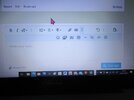
oh great nr everybody can bar me them gremlins from tiger have struck here now as when i bring mine up they nr go right off the page:smiling3: I can


oh great nr everybody can bar me them gremlins from tiger have struck here now as when i bring mine up they nr go right off the page:smiling3: I can
WELL Tim it wont work for me ive treid to hold them an move them up where they should be but no joy i wonder if i copy an paste will help ?Don’t know then mate, sorry. When I clicked the smiley icon it was added to the top icon line to the right of the “add picture” icon, ready for use.

Have you tried just tapping them, rather than dragging them up?WELL Tim it wont work for me ive treid to hold them an move them up where they should be but no joy i wonder if i copy an paste will help ?
yes Tim an makes no difference they still on the double lineHave you tried just tapping them, rather than dragging them up?

 - there there ok, just awkward to use.
HI Jim is this how they will remain then ?The options used to be there automatically whereas now you have to bring them up. Less easy to use than it was.
:thumb2: :rolling: :smiling: :hungry: :hugging-face:
Jim
That's what I get now Chris


HI THIS IS WHAT I GET COMES UP
HI Ian im just wondering about what happend to the smiles as they used to be on the top line an where you load pics has all chanded an regards smileyies the above is what i get now at the top line is this now suppoced to be like this ?What
I pm'd John about this yesterday and was told the fault was on my computer........got that sorted, but as you say Ian, my tablet won't allow them at all. Hope you guys get this sorted as it is mucking up the works and We're missing out on all the good bench time while trying to relearn the forum.
scalemodelling.co.uk is a privately operated online discussion forum. All content posted by members reflects their own views and opinions and does not necessarily represent those of the forum owners or administrators. While reasonable efforts are made to moderate content, no responsibility is accepted for user-generated material. By using this site, you agree to comply with UK law and the forum rules.